TPS 개발 : GAS 총기 반동 구현 — PlayerController 책임 분리
GAS에서 반동 직접 제어가 안 되는 이유와 PlayerController PlayerTick으로 분리한 구조
TPS 개발 : GAS 총기 반동 구현 — PlayerController 책임 분리
TIL - GAS 총기 반동 구현
문제
GAS 어빌리티 안에서 총기 반동을 구현하려고 했으나, 카메라 회전을 직접 제어할 방법이 없었다.
AddControllerPitchInput 같은 함수는 PlayerController 또는 Pawn에 종속되어 있어서 GAS 내부에서 자연스럽게 호출하기 어렵고, GAS 레이어에서 카메라를 직접 건드리는 건 구조적으로도 맞지 않는다.
구조 — 책임 분리
GAS가 반동의 목표 위치(Target)만 결정하고, 실제 화면을 올리는 건 PlayerController가 담당하도록 분리했다.
1
2
3
4
5
6
GA (발사 어빌리티)
  └─ 반동 목표 Pitch 계산 → PlayerController에 전달

PlayerController::PlayerTick(float DeltaTime)
  └─ 현재 Pitch → 목표 Pitch 방향으로 틱마다 보간하여 적용
       └─ AddControllerPitchInput(...)
구현
GA (발사 어빌리티)
발사 시 반동 목표값만 PlayerController에 넘긴다.
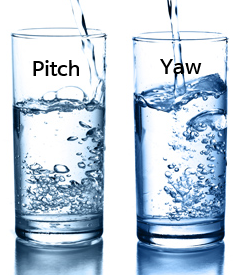
<GAFire::AddRecoil() : 최대 이만큼만 마시렴>
1
2
3
4
5
6
7
8
void UGA_Fire::ApplyRecoil(float RecoilAmount)
{
    APlayerController* PC = Cast<APlayerController>(GetActorInfo().PlayerController.Get());
    if (AMyPlayerController* MyPC = Cast<AMyPlayerController>(PC))
    {
        MyPC->RecoilTargetPitch += RecoilAmount;
    }
}
PlayerController
반동 목표값을 보관하고, PlayerTick에서 매 틱 처리한다.

<Controller::Tick() : 꼴깍꼴깍>
1
2
3
4
5
6
// MyPlayerController.h

UPROPERTY()
float RecoilTargetPitch = 0.f;

float RecoilSpeed = 10.f;
1
2
3
4
5
6
7
8
9
10
11
12
13
14
15
// MyPlayerController.cpp

void AMyPlayerController::PlayerTick(float DeltaTime)
{
    Super::PlayerTick(DeltaTime);

    if (!FMath::IsNearlyZero(RecoilTargetPitch))
    {
        float Step = RecoilSpeed * DeltaTime;
        float Applied = FMath::Sign(RecoilTargetPitch) * FMath::Min(FMath::Abs(RecoilTargetPitch), Step);

        AddPitchInput(Applied);
        RecoilTargetPitch -= Applied;
    }
}
핵심 요약
| 역할 | 담당 |
|---|---|
| 반동 크기/목표 결정 | GA (GAS 어빌리티) |
| 실제 카메라 이동 | PlayerController PlayerTick |
This post is licensed under CC BY 4.0 by the author.